






A lightweight script tracks every click, scores it in real time and automatically blocks fraudulent traffic — with no hassle on your side. Here is the whole flow, step by step.
Five steps, four of which happen completely automatically.
You add the lightweight ProtectAds script to your site via Google Tag Manager, a CMS plugin, or directly in your HTML. It works on any website.
When someone clicks your ad and lands on your site, the script records the visit and its technical signals.
Our detection engine scores each click against dozens of signals — IP and subnet reputation, device and user-agent, behaviour and repetition.
Fraudulent IPs are added automatically to your Google Ads and Bing Ads exclusion lists, so they stop seeing your ads.
Every block is logged and explained in your dashboard, with per-campaign analytics and exportable reports.
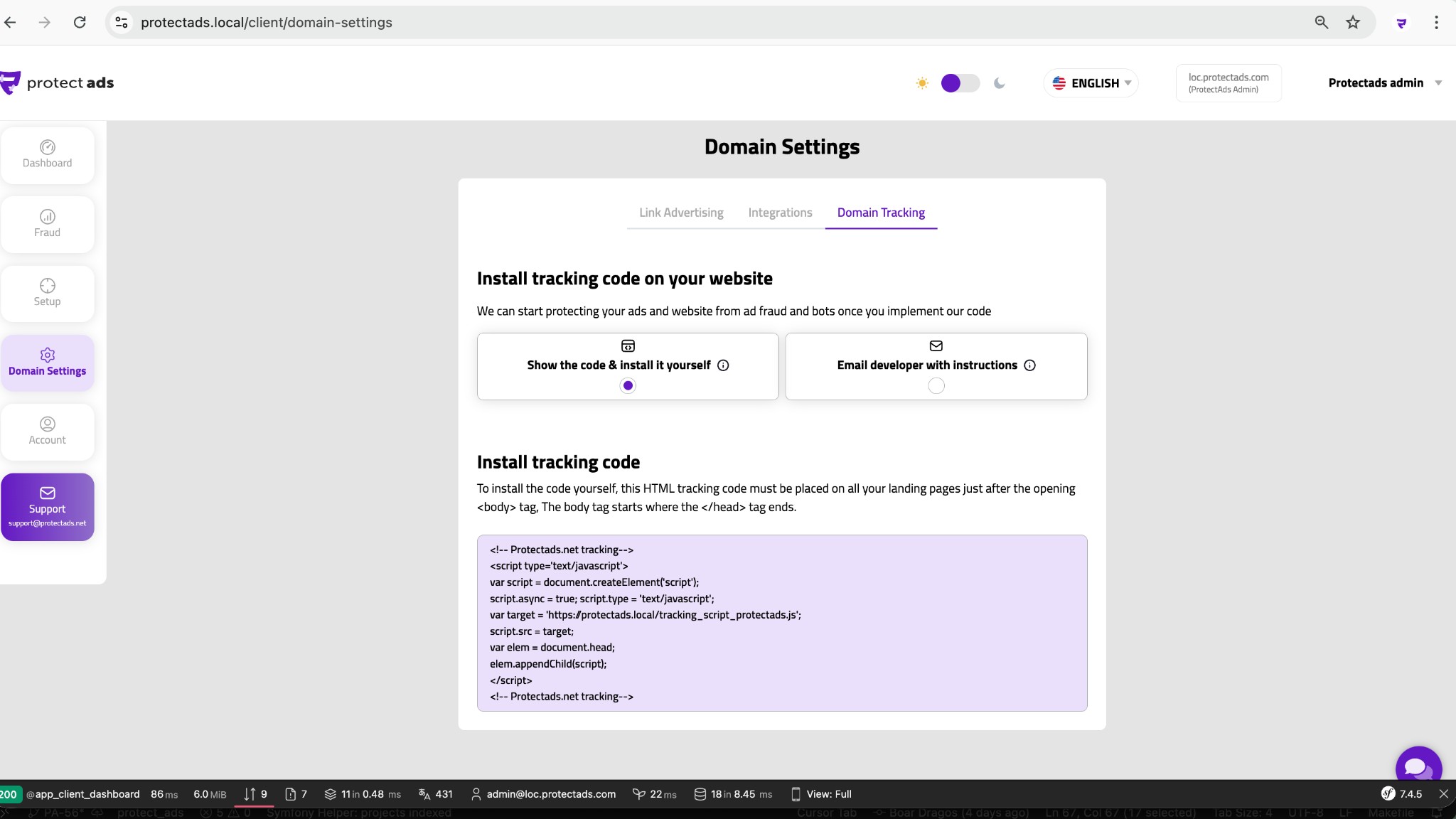
Configure your domain and get your tracking script.
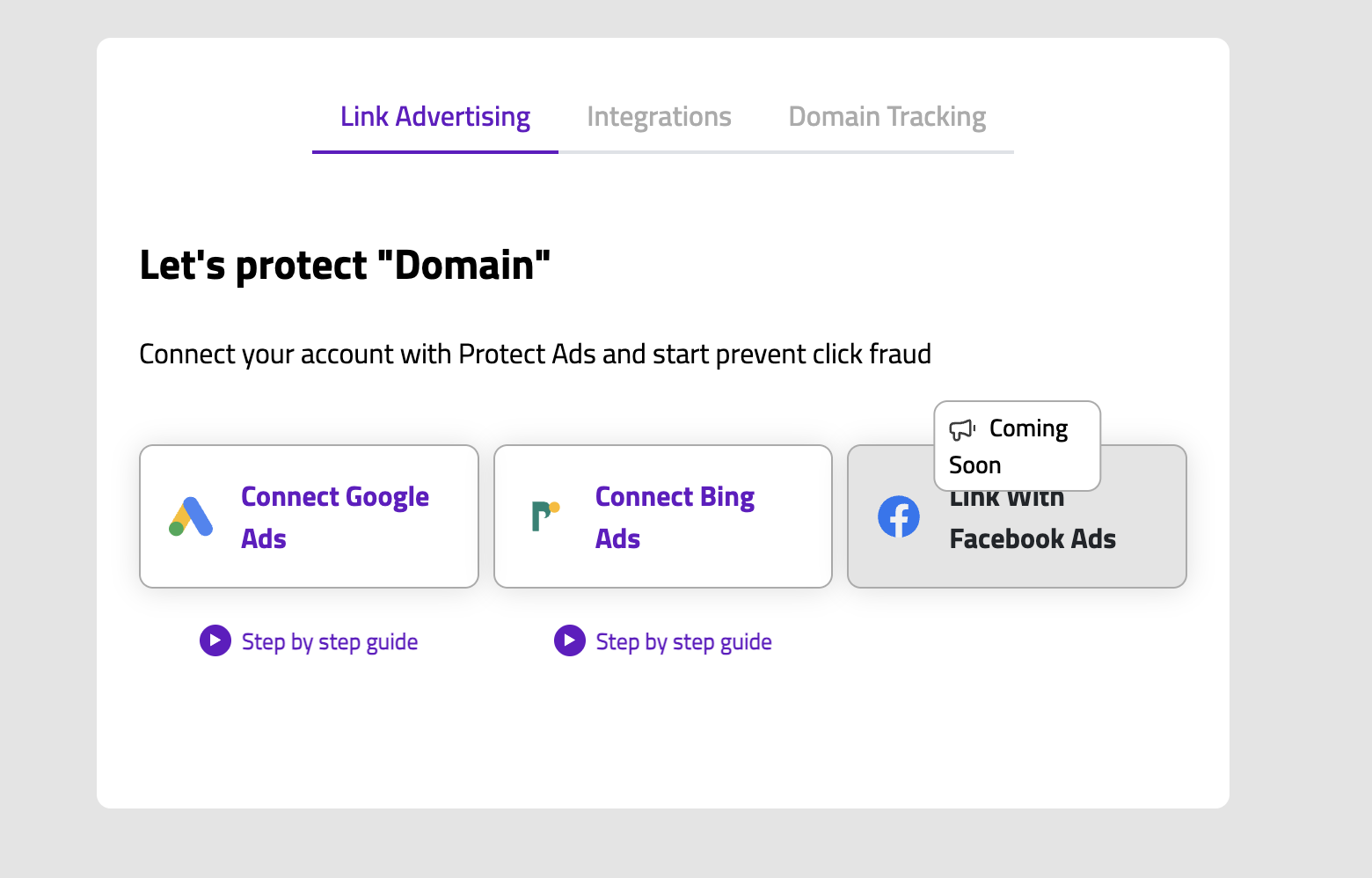
Connect your Google Ads and/or Bing Ads account.
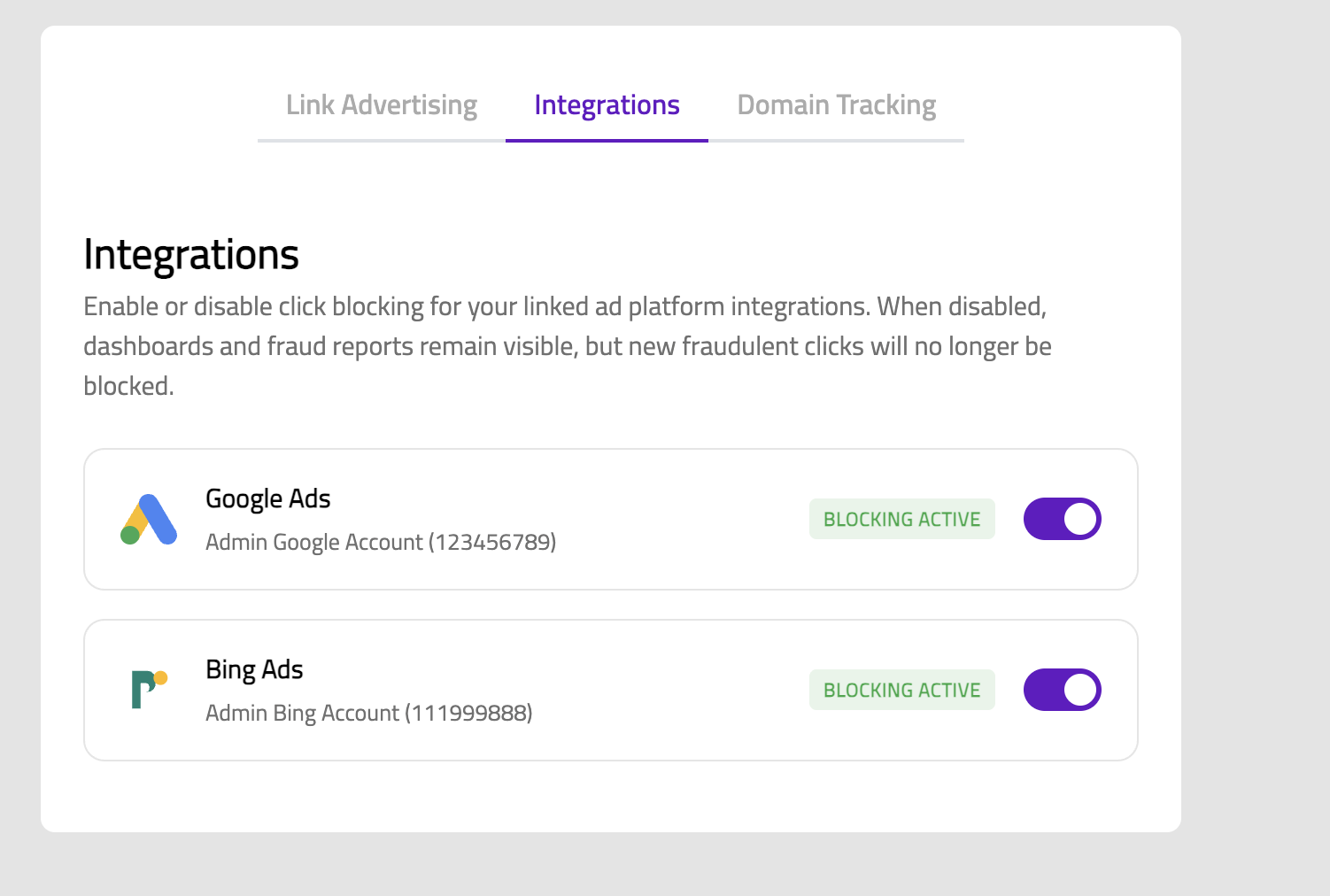
Choose your rules and enable automatic IP exclusions.
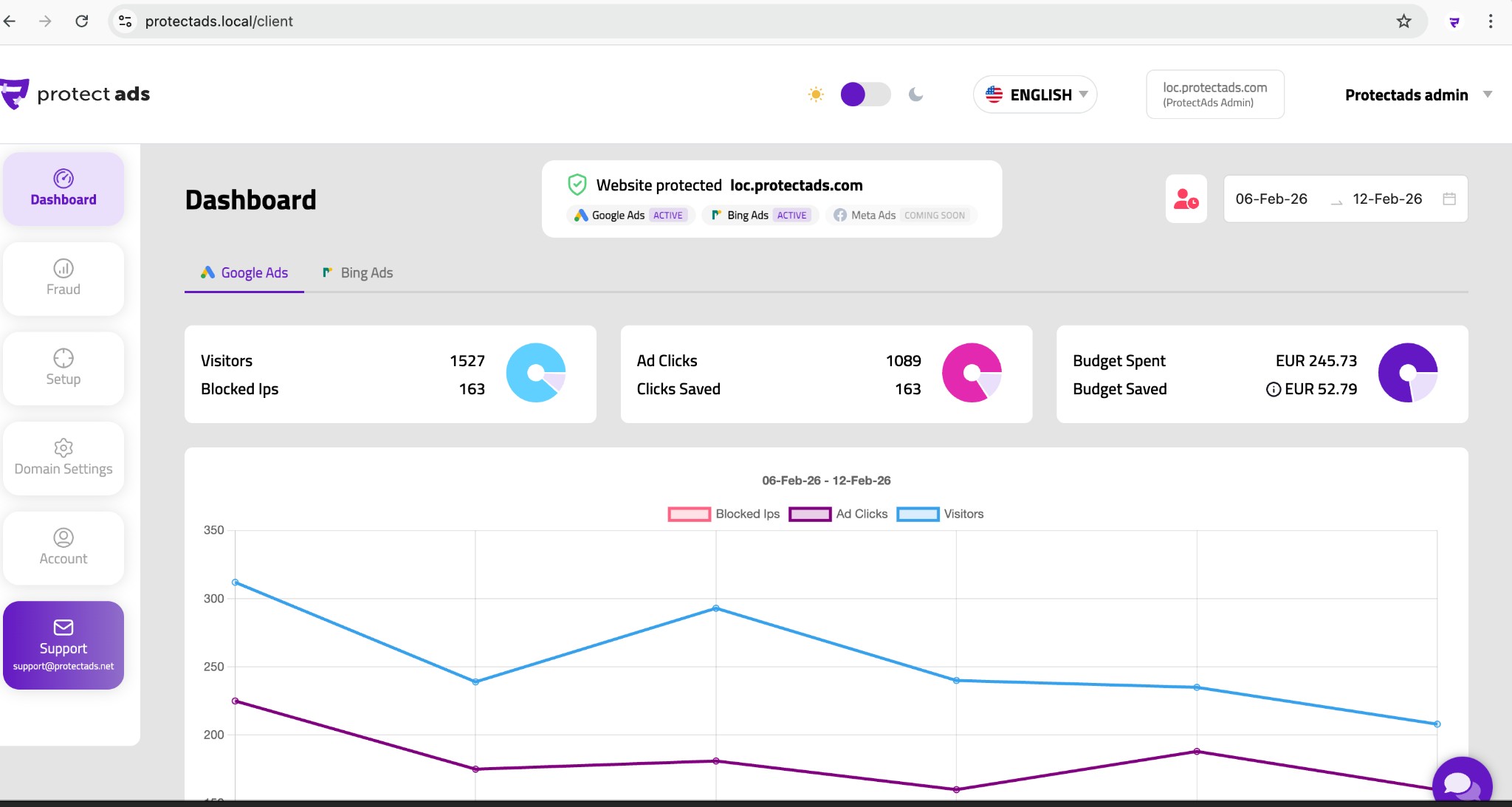
See traffic, blocks and savings in your dashboard.
The history of the address and network the click comes from.
Browser and device signature, to expose spoofing.
Automation fingerprints typical of non-human traffic.
Duplicate clicks and patterns that point to a competitor or click farm.
The ProtectAds script is built to be lightweight and asynchronous, so the detection work happens without slowing down your pages or hurting the experience for real visitors.

ProtectAds is a click-fraud detection and protection platform for paid advertising. It sits between your ads and your website, inspecting every click in real time to separate genuine prospects from invalid and fraudulent traffic.
When it spots a fraudulent click — from a bot, a click farm, a competitor or a repeat abuser — it automatically excludes that source at the ad-platform level, so it can no longer see your ads or cost you money. The result is a cleaner audience, lower wasted spend and far more accurate campaign data.
It works alongside Google Ads (including Performance Max) and Bing Ads (Microsoft Advertising) without replacing anything you already use — think of it as a dedicated security layer for your ad budget.
Getting protected takes three steps: connect your ad account, add a lightweight tracking script to your site, and let ProtectAds start scoring your traffic.
From that moment, every click is analysed against dozens of signals, including:
When a click crosses your protection threshold, the offending IP is added to your campaign exclusion list automatically, and the event is logged in your dashboard with the exact reason it was blocked.
Most advertisers are protected within five minutes. You don't need to pause campaigns or rebuild anything — protection layers on top of your existing setup.
The typical flow is simple: create your account, connect Google or Bing in a few clicks, install the tracking snippet (directly or through Google Tag Manager), and confirm it's firing.
ProtectAds begins analysing traffic immediately, and you'll usually see your first blocked clicks within hours rather than days.
No. The tracking snippet is a single line of code, and we provide guided, copy-and-paste instructions for every common platform.
For popular systems there are ready-made integrations or plugins, including Shopify, WooCommerce, WordPress, Wix, Squarespace, Magento and BigCommerce. If you use Google Tag Manager, you can deploy ProtectAds as a tag without touching your site's code at all.
And if you'd still prefer a hand, our team can install and verify everything with you during onboarding.
Yes — you can start a full-featured free trial and explore ProtectAds risk-free.
The trial is the fastest way to see your own numbers: how much of your traffic is invalid, where it comes from, and how much budget it's quietly draining. You get the complete detection engine and dashboard during the trial, so everything you see is real data, not a demo.
When the trial ends you simply pick a plan that matches your click volume — or cancel before it renews, with no further charges.
Connect your site and ad platforms and let ProtectAds handle click fraud.


